Houses of Nomad
A place to discover.
A connected way to book.
A hospitality website supported by a custom booking plugin and a Hostaway connection.
In collaboration with
The stay begins
before arrival.
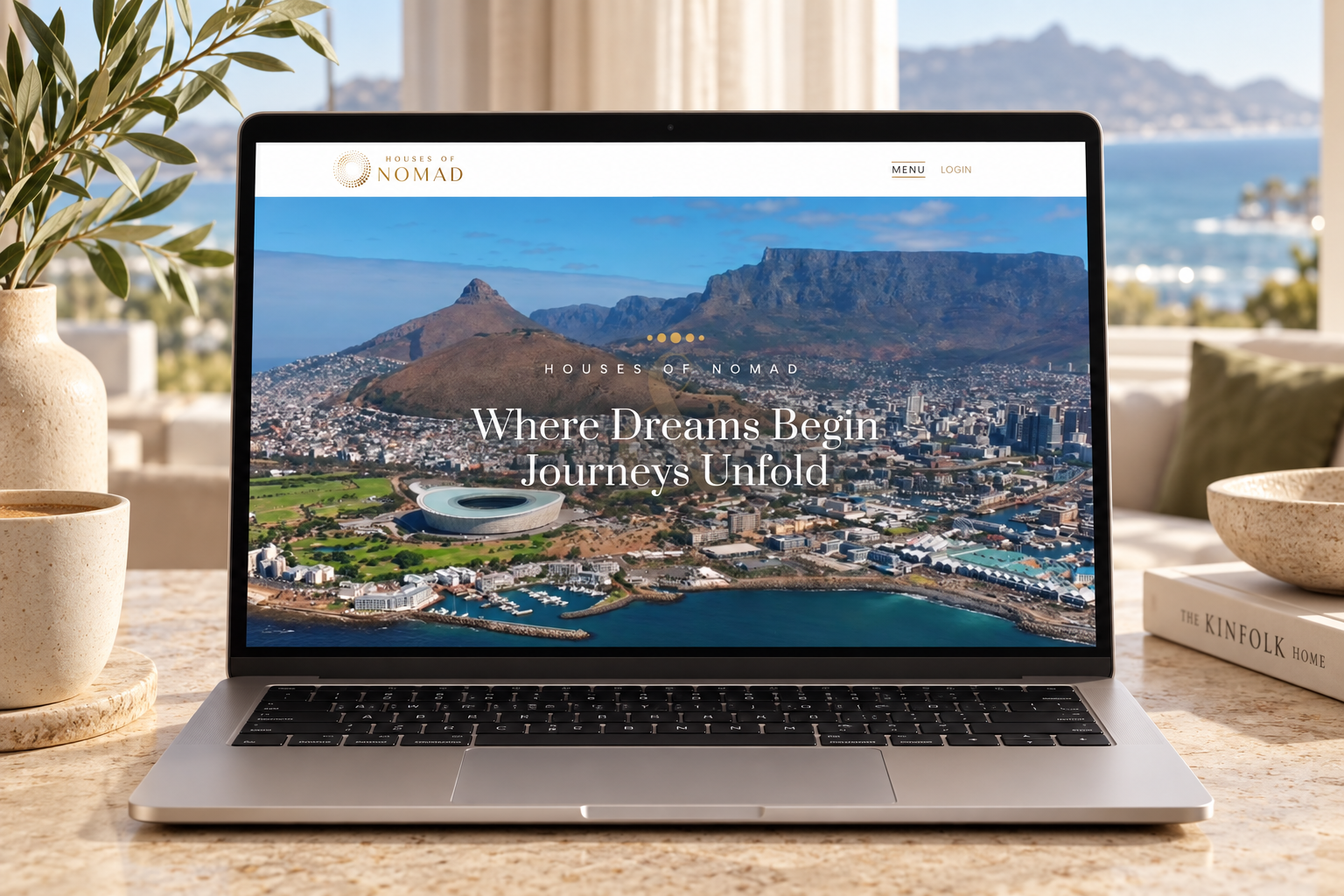
Houses of Nomad presents accommodation in Cape Town and Yzerfontein through a hospitality-led website. Destination imagery, property introductions and routes to view or book a stay connect the brand experience with the practical task of finding accommodation.
Santi developed the website and its custom WordPress booking plugin. The work brings the guest-facing website and the operational booking tools into the same project.
More than
a booking button.
The custom WordPress plugin gives the site a dedicated booking workspace. Rooms, reservations, guest accounts and calendar views sit together, with payment configuration and notifications supporting the booking process.
For visitors, the purpose is straightforward: move from discovering a property into booking a stay. For the team, the plugin brings the information and controls needed to manage that stay into WordPress.
Connected bookings.
Aligned availability.
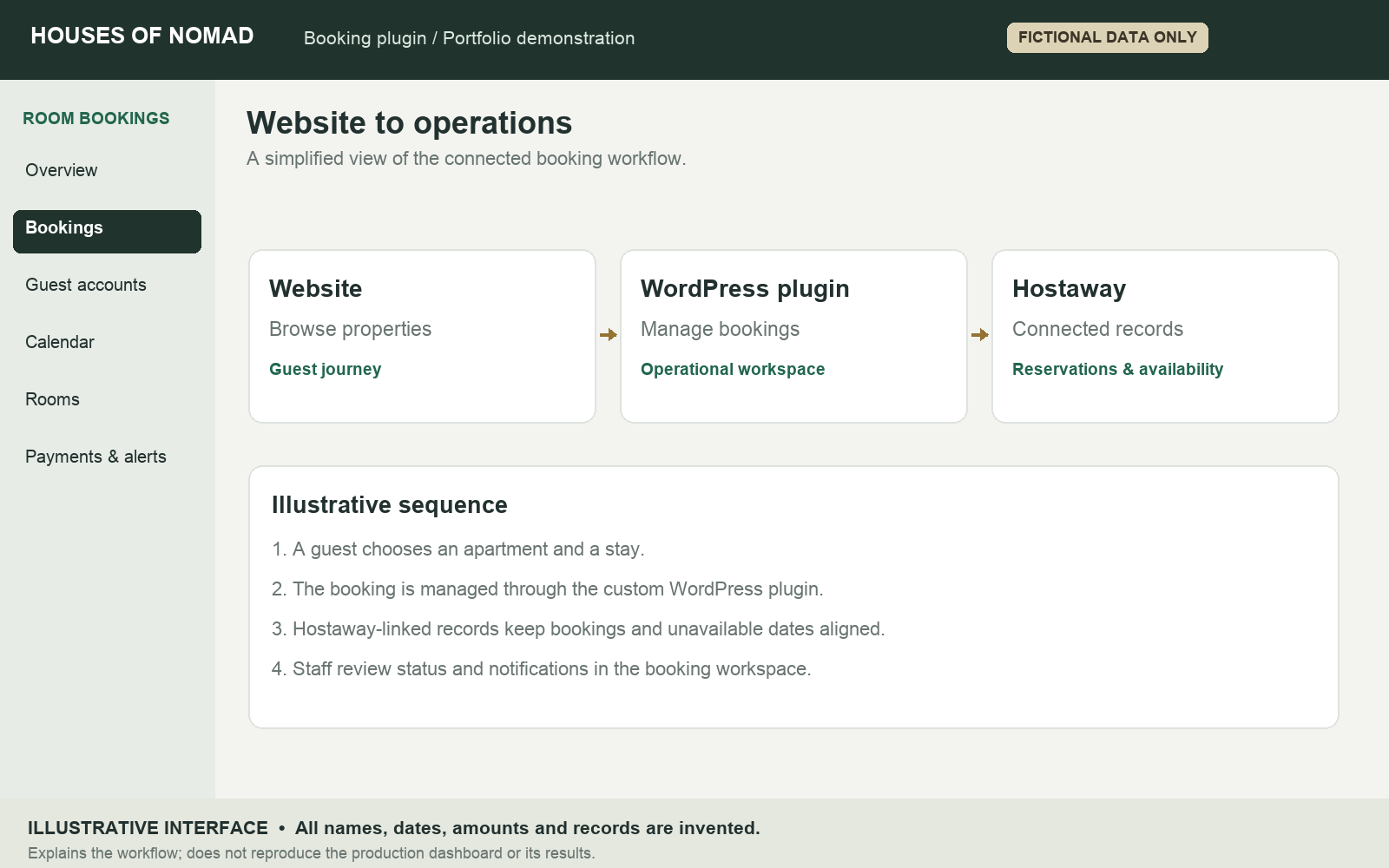
The Hostaway connection links the website’s booking workspace with the accommodation-management system. Reservations and blocked dates are synchronised so the team can work with connected availability information.
Room-import controls help bring Hostaway listings into the plugin. Booking records show their source and sync status, with a manual sync action available for staff to review or update a record.
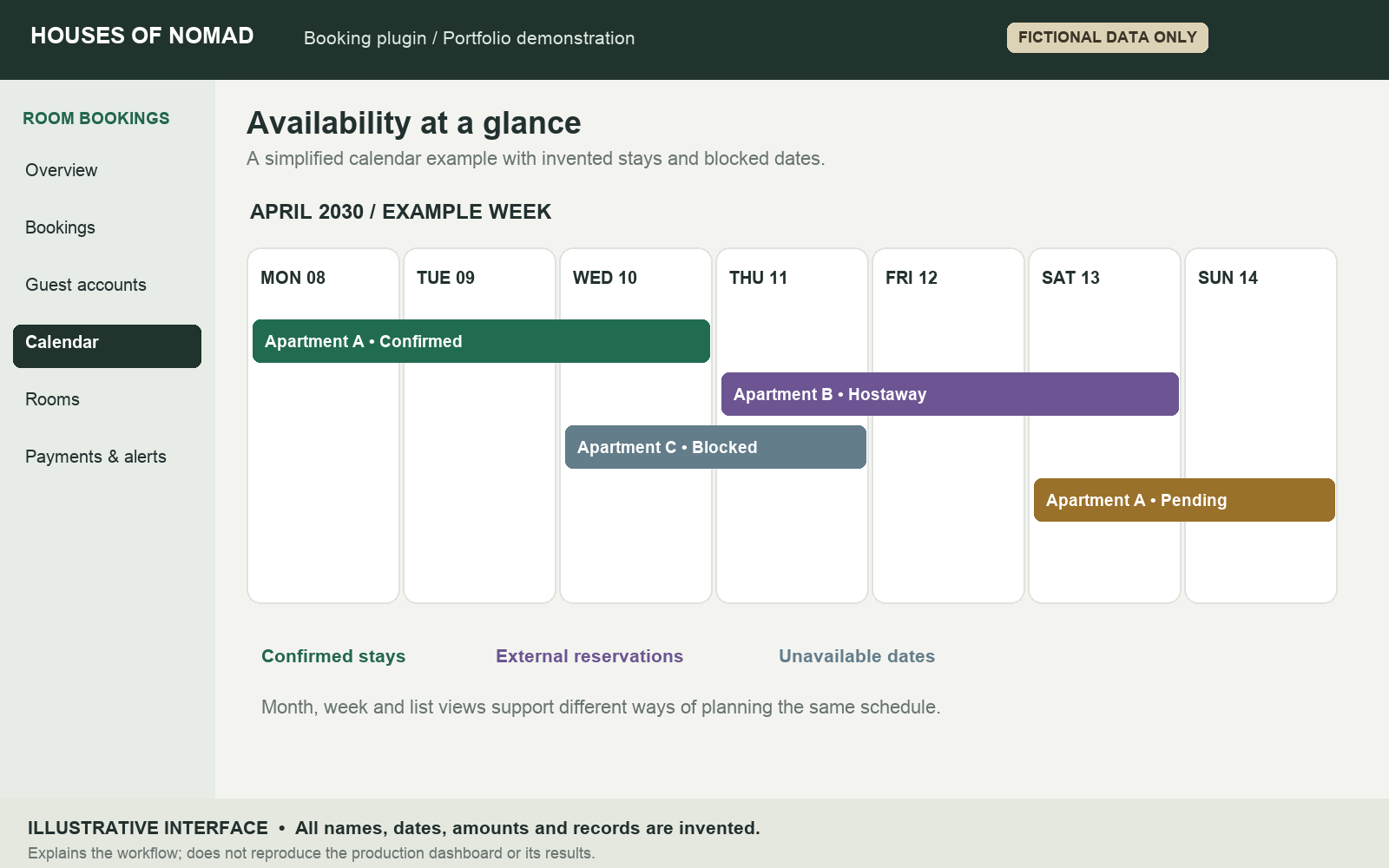
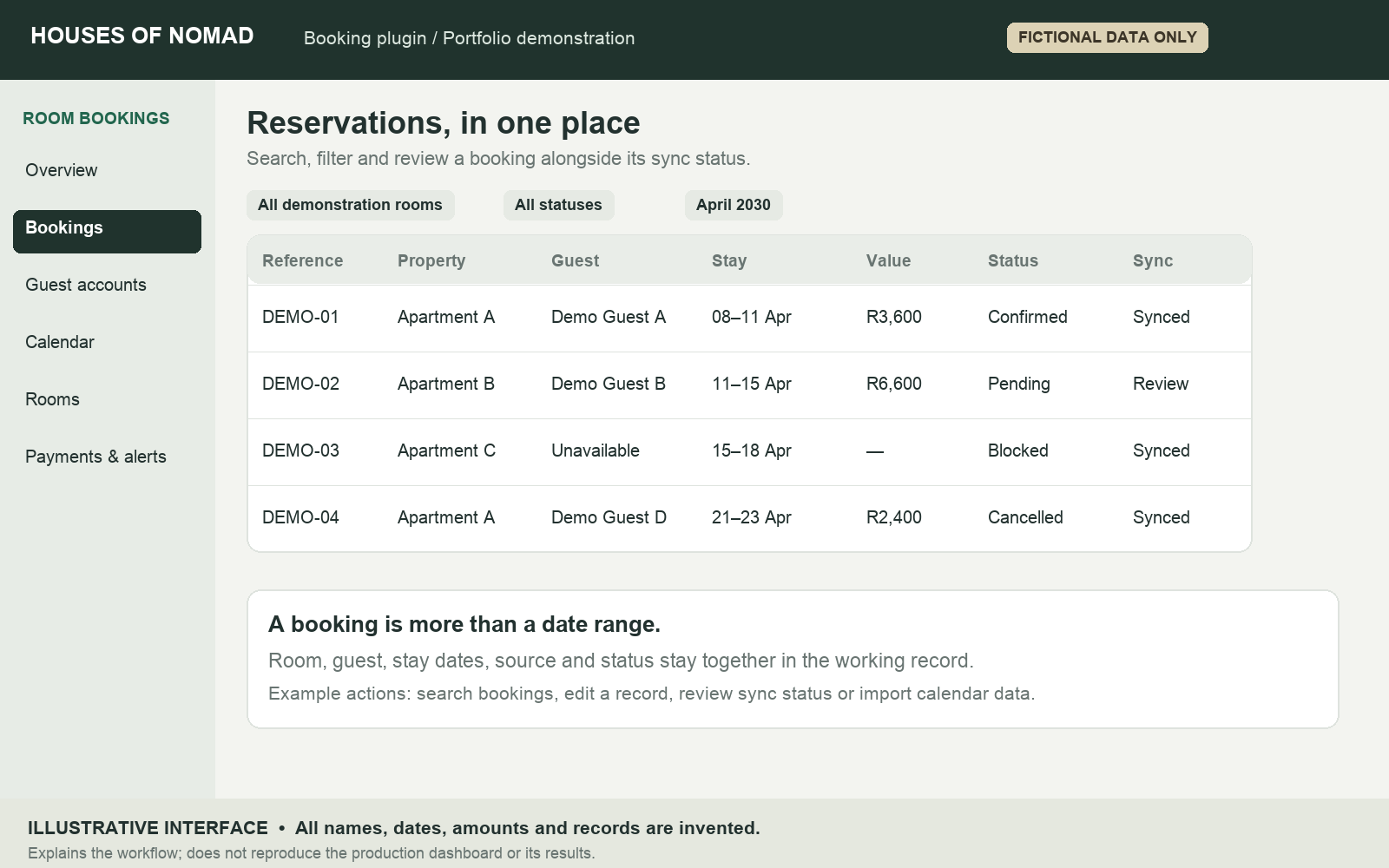
For example, an unavailable period for a demonstration apartment can appear as a blocked entry, distinct from a guest reservation. That distinction makes the calendar useful for both bookings and dates that should not be offered for a stay.
The details,
in one working view.
The booking list brings together the room, guest, stay dates, price, source and status. Filters for room, status and date, alongside search, help staff find the relevant record without scanning the entire schedule.
The administration includes controls to edit booking records, import calendar data through iCal and sync booking information to Google Sheets. These tools support the working process around reservations, alongside the Hostaway connection.
In the fictional example, a confirmed stay, a pending reservation, an unavailable period and a cancelled booking appear as distinct records.
A clear structure
behind every stay.
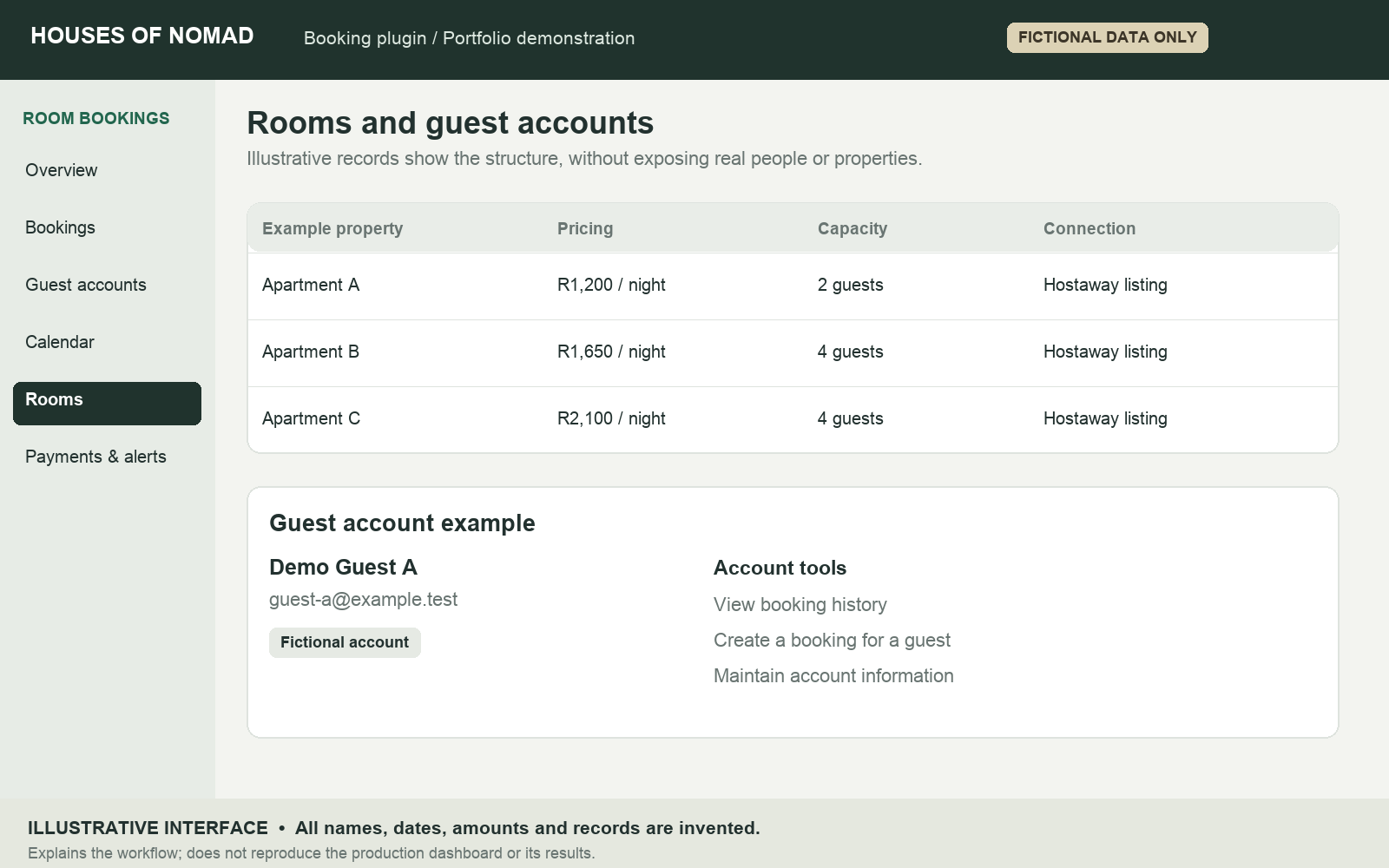
The room-management area keeps each accommodation record alongside its pricing type and capacity. Rooms can be added, imported from Hostaway, previewed and edited. Booking shortcodes connect those records to the relevant pages on the website.
Guest accounts give the team a separate view of account information and booking history, with an option to create a booking for a guest. The plugin also includes administration areas for add-ons and coupons.
The illustration uses generic apartment labels and a reserved example email address. No production account information is included.
A booking process
with follow-through.
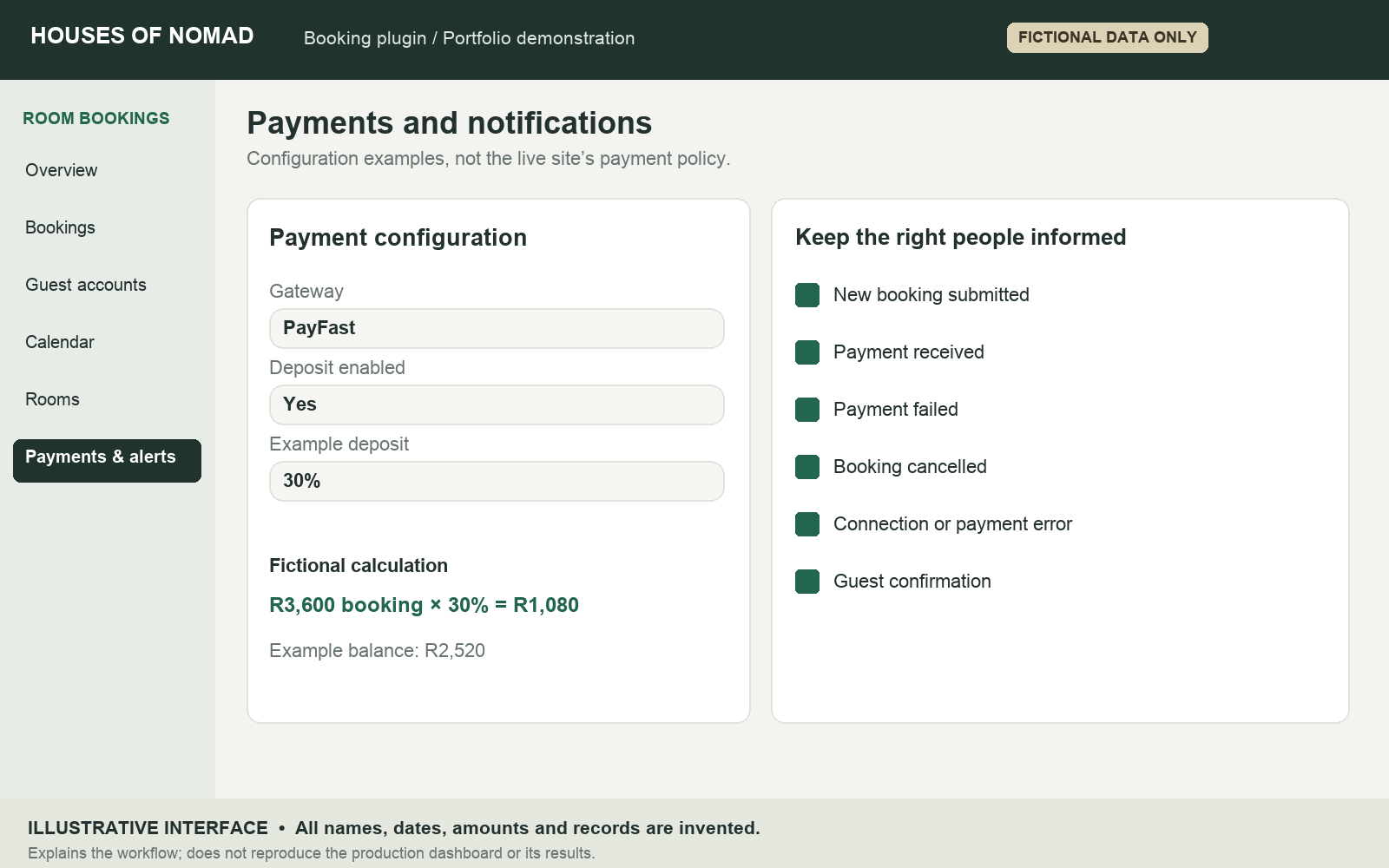
Payment settings include PayFast and configurable deposit requirements. That lets payment configuration form part of the booking workflow, alongside the status of the reservation.
Notification controls cover new bookings, received or failed payments, cancellations and critical connection or payment errors. Guest confirmation emails and a delivery-test control support communication around the stay.
As a fictional calculation, a R3,600 booking with a 30% deposit would collect R1,080 and leave R2,520.
See the activity.
Plan the next step.
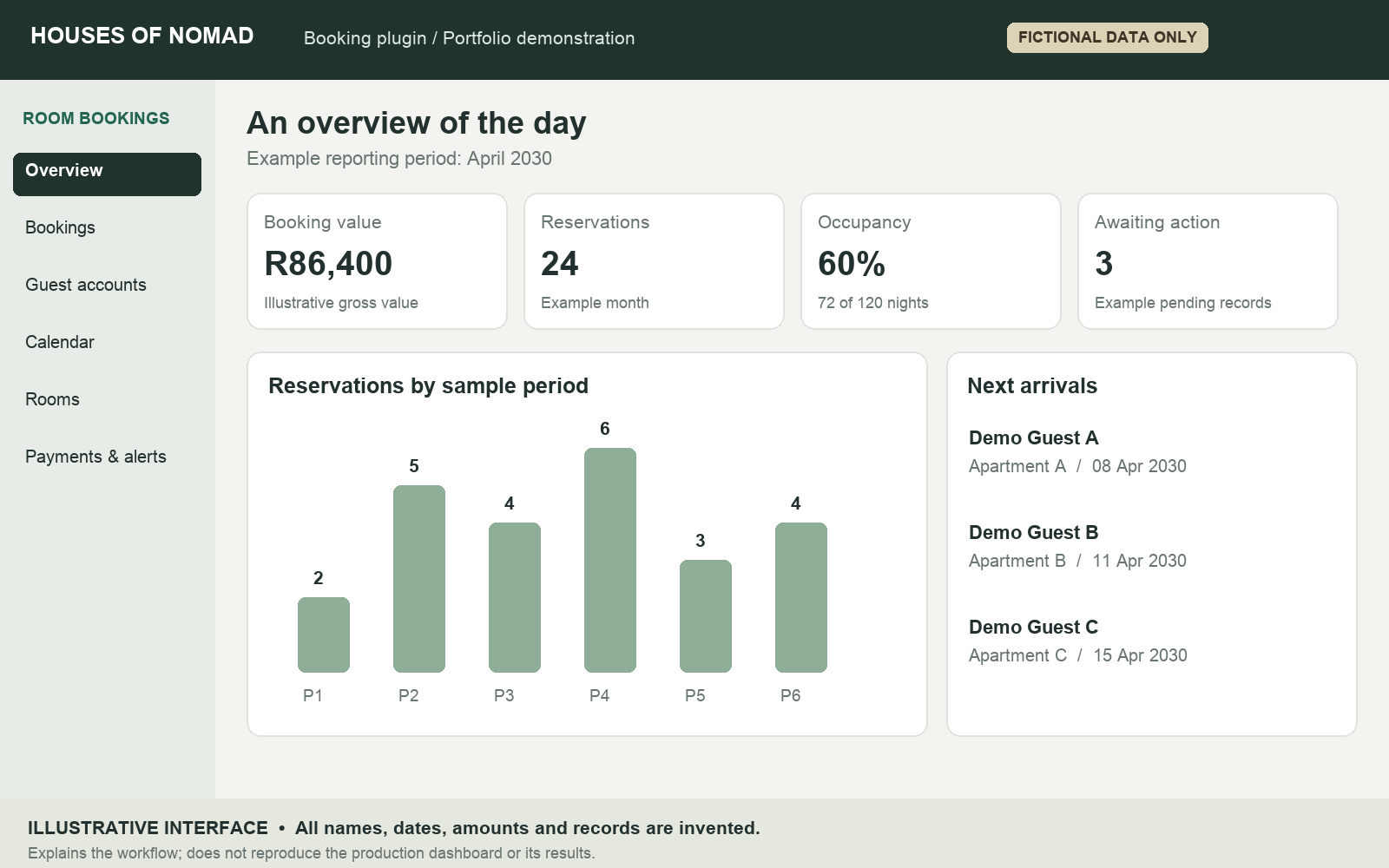
The dashboard groups revenue summaries, booking trends, occupancy, pending items and upcoming check-ins into an overview for the team. Monthly performance information adds another way to review the activity represented in the booking system.